If your store is converting 2–3% of visitors, you’re sitting right around the global eCommerce average. The thing is, the best psychology-optimized stores in categories like beauty and food routinely hit 5–7% or more on their hero products—without spending more on ads.
The difference isn’t just prettier design or another app. It’s how well your store is aligned with the way the human brain actually makes buying decisions.
In this guide, you’ll see 9 ethical psychology-first triggers that consistently move the needle for WooCommerce and Shopify stores—plus practical micro-copy examples you can swipe and plug into your product pages, carts, checkouts, and emails today.
We’ll cover:
- Why shoppers hesitate (and how to fix it)
- 9 brain triggers that turn “maybe later” into “Buy Now”
- Exactly where to test each trigger in your funnel
- A 30-minute quick-wins checklist
- When it’s smarter to bring in a CRO specialist instead of guessing
How Loss Aversion Works in eCommerce + 3 Copy Examples You Can Use Today
Loss aversion is simple: people feel pain from losing something more intensely than joy from gaining the same thing. Losing 20 dollars hurts more than gaining 20 dollars feels good.
On your store, that shows up as:
- Fear of wasting money on a product that disappoints
- Anxiety about missing a discount or free shipping
- Worry that returns will be a nightmare
Your job is to make not buying feel riskier than buying—while still staying honest and ethical.
Where to use loss aversion
- Product pages: make “missing the benefit” feel like a loss
- Cart: highlight what they’re about to lose if they abandon
- Checkout: reduce perceived risk with guarantees and clear returns
Loss aversion micro-copy examples
| Funnel stage | Placement | Example micro-copy |
|---|---|---|
| Product page | Near price or CTA | “Skip the guesswork. One wrong choice costs more than this complete starter kit.” |
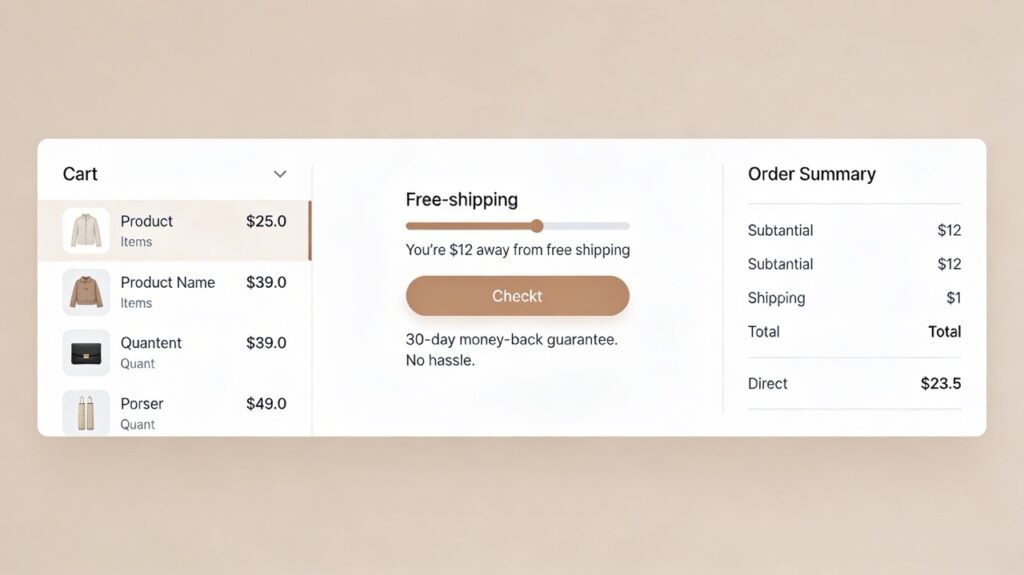
| Cart | Above totals | “You’re only 12 dollars away from free shipping. Don’t leave your savings behind.” |
| Checkout | Near guarantee/returns | “Changed your mind? You have 30 days to send it back—no forms, no hassle.” |
How to implement it (Shopify & WooCommerce)
- Shopify: Add a short guarantee and free-shipping progress bar in your theme’s cart/checkout sections or via a lightweight app.
- WooCommerce: Use cart notices or theme hooks to show “X away from free shipping” and a one-line guarantee on the checkout page.
At Devbo, we’ve seen a simple “no-hassle 30-day returns” line near the checkout button immediately reduce abandonment on WooCommerce sites in high-friction categories like apparel.
How FOMO Works in eCommerce + 3 Copy Examples You Can Use Today
FOMO (fear of missing out) kicks in when shoppers feel other people are getting something valuable that they might miss.
On your store, that’s triggered by:
- Real-time purchase pings (“Mia in Tampa just bought…”)
- “Only a few left” messages (when they’re real)
- Limited-time bonuses or bundles
Used well, FOMO nudges on-the-fence visitors to act while they can still get the deal, the bonus, or the color they actually like.
Where to use FOMO
- Product pages: show demand and time sensitivity
- Cart: remind them nothing is “reserved” until checkout
- Email: abandoned-cart and last-chance campaigns
FOMO micro-copy examples
| Funnel stage | Placement | Example micro-copy |
|---|---|---|
| Product page | Under add-to-cart | “Over 150 people grabbed this bundle this week—don’t miss the current bonus items.” |
| Cart | Below items | “Popular items aren’t reserved. Complete checkout to make sure they don’t go out of stock.” |
| Abandoned cart | “Your picks are still in your cart—but discounts and stock may change after today.” |
How to implement it
- Use real data. If you show “23 people viewing this,” make sure it’s powered by actual sessions or order volume.
- Keep it subtle. One good FOMO message beats a clutter of shouty popups.
If you’re not sure which apps or theme hooks to use for legitimate FOMO signals in Shopify or WooCommerce, that’s the kind of implementation Devbo handles all the time—without wrecking performance or trust.
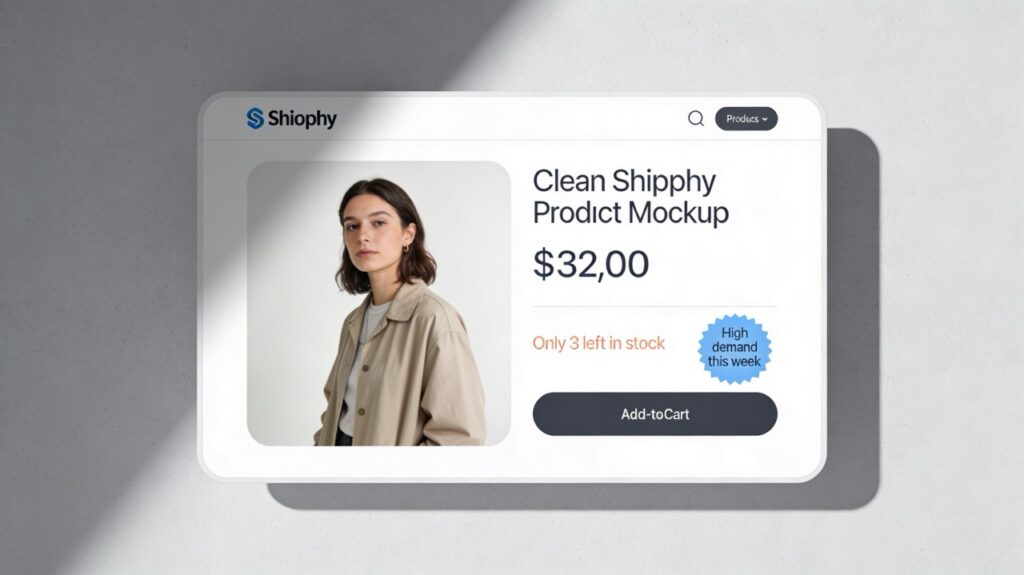
How Scarcity & Urgency Work in eCommerce + 3 Copy Examples You Can Use Today
Scarcity (limited supply) and urgency (limited time) are two of the most powerful triggers you can use—if they’re real.
Shoppers move faster when:
- Quantity is limited (e.g., “Only 5 left in this size”)
- Time is limited (e.g., “Launch pricing ends Sunday”)
- The rules are clear and believable
Fake timers and “last chance” banners that never end will hurt you long term. Modern shoppers (and repeat buyers) pick up on it quick.
Where to use scarcity/urgency
- Product pages: stock-based scarcity
- Cart: deadline-based urgency for promos
- Email: sale windows, product drops, and restocks
Scarcity/urgency micro-copy examples
| Funnel stage | Placement | Example micro-copy |
|---|---|---|
| Product page | Near stock indicator | “Only 3 left in this color—next restock ships in 3 weeks.” |
| Cart | Above CTA | “Your launch discount ends in 2 hours. After that, prices return to normal.” |
| Promo/restock | “Early-bird pricing ends Sunday at midnight—after that, this starter bundle won’t be offered.” |
How to implement it
- Tie messages to actual inventory in Shopify or WooCommerce. Show “low stock” only under a specific threshold.
- For urgency, use real deadlines on promos and update the copy when the promo ends.
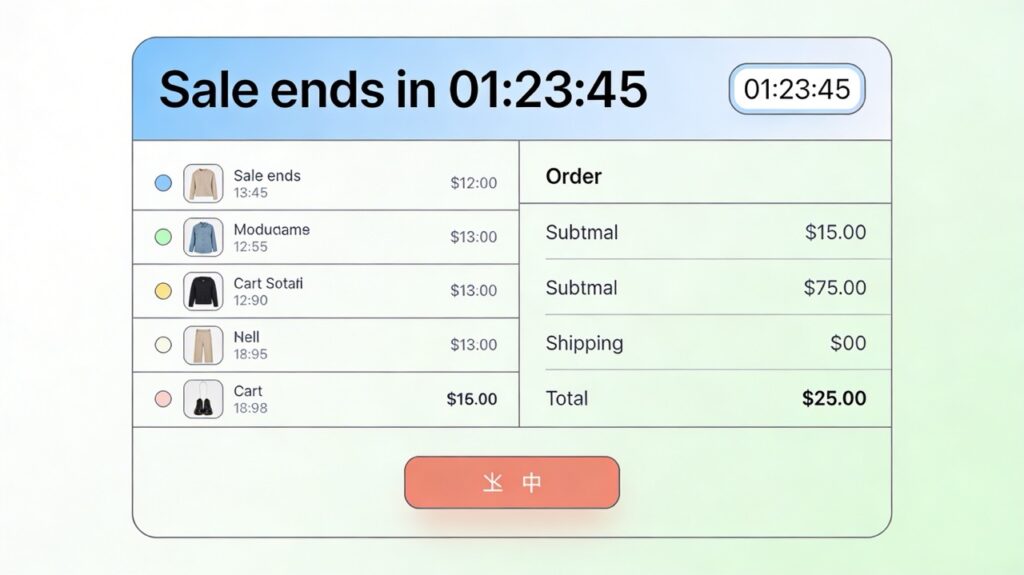
How Exclusivity Works in eCommerce + 3 Copy Examples You Can Use Today
Exclusivity is about status and belonging: “people like me get access to special things.”
You see this in:
- Members-only colors or drops
- Early access for email/VIP lists
- Limited runs and small-batch products
When used honestly, exclusivity can turn casual shoppers into loyal, high-LTV customers.
Where to use exclusivity
- Product pages: badges and copy for limited or members-only items
- Checkout: email opt-ins tied to early access
- Email: VIP drops, secret menus, first-access restocks
Exclusivity micro-copy examples
| Funnel stage | Placement | Example micro-copy |
|---|---|---|
| Product page | Near title/badges | “Members-only colorway—created in one small-batch run for our VIP list.” |
| Checkout | Email opt-in area | “Get early access to limited drops and member-only pricing. No spam, just good stuff.” |
| VIP launch | “You’re on the short list—24-hour head start before this drop goes public.” |
How to implement it
- Shopify: Use tags and customer segments to show certain products or prices only to logged-in members.
- WooCommerce: Membership or subscription plugins let you gate products, perks, and pricing tiers.
How Anchoring Works in eCommerce + 3 Copy Examples You Can Use Today
Anchoring is how the first number or option we see shapes what feels “expensive” or “a deal.”
You’ve seen it when:
- A bundle shows a “compare at” price vs. “your price”
- A higher-priced “premium” option makes the mid-tier feel reasonable
- Strikethrough pricing highlights savings clearly
Without anchoring, your prices float in a vacuum. With it, you frame value.
Where to use anchoring
- Product pages: original vs. sale price and bundle framing
- Comparison sections: “good / better / best” layouts
- Cart: “Upgrade for just X more” messages
Anchoring micro-copy examples
| Funnel stage | Placement | Example micro-copy |
|---|---|---|
| Product page | Near price | “Normally 129 dollars—today’s launch price: 89 dollars.” |
| Product page | Bundle description | “Bundle and save: 142 dollars value for 99 dollars (you save 43 dollars).” |
| Cart | Upsell module | “Upgrade to the complete kit for just 18 dollars more (saves 27 dollars vs. buying later).” |
How to implement it
- Use built‑in “compare at” pricing in Shopify and WooCommerce so the crossed-out price and savings are accurate.
- Keep the math obvious: show the dollar amount saved, not just a percentage.
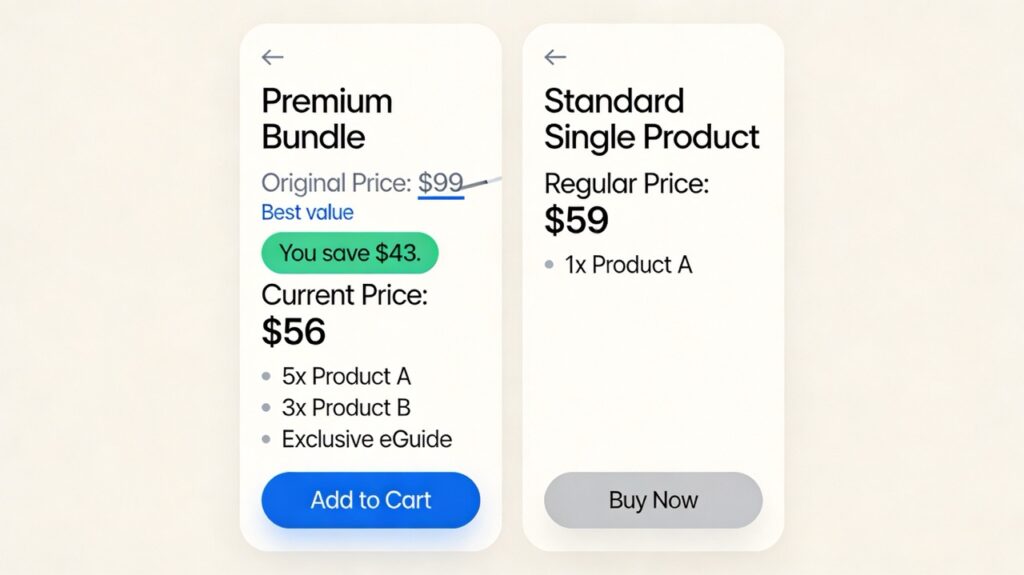
How Commitment/Consistency Works in eCommerce + 3 Copy Examples You Can Use Today
Once someone takes a small step (a micro-commitment), they’re more likely to continue in the same direction.
Examples on your store:
- Email opt-in before purchase
- Low-risk trial or sample size before full kit
- Easy account creation after first order
You’re helping them say “yes” in stages instead of forcing a single big leap.
Where to use commitment/consistency
- Product pages: samples, trial sizes, or entry-level offers
- Checkout: “create an account” options
- Email: post-purchase sequences that guide “next step” behaviors
Commitment micro-copy examples
| Funnel stage | Placement | Example micro-copy |
|---|---|---|
| Product page | Near smaller size | “Not ready for the full kit? Start with our 7-day sample—apply what you spend as credit later.” |
| Checkout | Account creation area | “Create a free account to save your details and reorder in 1 click next time.” |
| Post-purchase | “You already started your [brand] routine—here’s the next step most customers take within 30 days.” |
How to implement it
- Enable one-click account creation from an order in WooCommerce, or encourage Shop Pay/other wallets on Shopify so reorders are frictionless.
- Make “micro-commitments” obvious: newsletter signup, wishlist add, quiz completion, etc.
How Social Proof Works in eCommerce + 3 Copy Examples You Can Use Today
When people aren’t sure what to do, they look at what others like them are doing. That’s social proof.
In eCommerce, your heaviest hitters are:
- Star ratings and photo reviews
- “Bestseller” or “Most popular” badges
- “As seen in…” media logos and customer counts
Strong social proof can single-handedly fix “I’m not sure this will work for me” hesitation.
Where to use social proof
- Product pages: above the fold and near add-to-cart
- Cart: reassurance about order volume and returns
- Email: testimonials, before/afters, case studies
Social proof micro-copy examples
| Funnel stage | Placement | Example micro-copy |
|---|---|---|
| Product page | Near reviews | “4.8 rating from 1,200+ shoppers—see real results from customers like you.” |
| Cart | Under line items | “Over 3,500 orders shipped with 30-day hassle-free returns.” |
| Abandoned cart / FYI | “You’re in good company—thousands of customers use this every week to [desired outcome].” |
How to implement it
- Install a review app/plugin and prioritize photo reviews and detailed comments, not just stars.
- Place social proof above the fold on product pages, not buried at the bottom.
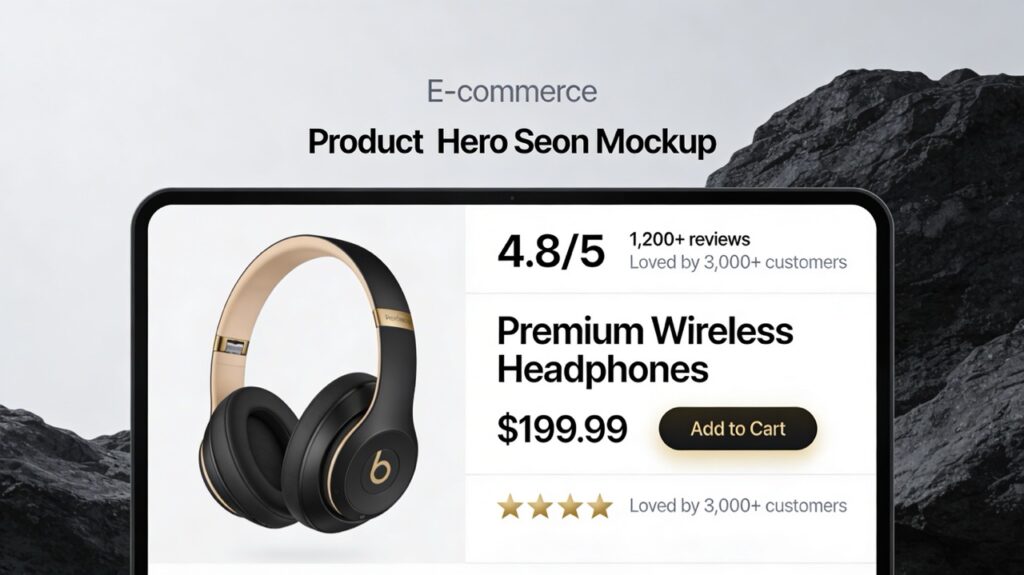
How Authority Works in eCommerce + 3 Copy Examples You Can Use Today
Authority bias means we trust experts, institutions, and recognized brands more than random strangers.
On your store, authority can come from:
- Expert endorsements (e.g., trainer, dermatologist, chef)
- Certifications, lab testing, compliance badges
- Recognizable payment providers and security logos
Authority reduces the “Is this legit?” friction that silently kills conversion.
Where to use authority
- Product pages: expert quotes and badges
- Checkout: payment/security reassurance near forms
- Email: “developed with…” or “used by…” messaging
Authority micro-copy examples
| Funnel stage | Placement | Example micro-copy |
|---|---|---|
| Product page | Near badges or quote | “Recommended by certified [expert type] and used in 20,000+ client sessions.” |
| Checkout | Near payment options | “Secure checkout via Stripe and PayPal—same encryption trusted by leading global brands.” |
| Launch / educational | “Developed together with [expert name], who has helped 5,000+ clients achieve [outcome].” |
How to implement it
- Add real certifications or third-party logos (e.g., SSL, payment providers), not generic clip-art “secure” icons.
- Keep claims accurate and compliant, especially in health, finance, or regulated niches.
How Reciprocity Works in eCommerce + 3 Copy Examples You Can Use Today
Reciprocity is the norm that when someone gives you something valuable, you want to give back.
In eCommerce, that looks like:
- Genuinely useful free content (guides, meal plans, workout calendars)
- Free samples or bonuses that complement the main product
- Thoughtful post-purchase tips—not just upsells
When done right, shoppers think: “They’ve already helped me. Buying from them feels natural.”
Where to use reciprocity
- Product pages: include helpful content or bonuses
- Checkout: highlight what they’re getting “extra” today
- Email: welcome and nurture flows that lead with value
Reciprocity micro-copy examples
| Funnel stage | Placement | Example micro-copy |
|---|---|---|
| Product page | Content block | “Includes a free step-by-step guide so you can get results from day one—no email required.” |
| Checkout | Order summary | “Today’s order unlocks a free bonus: our [relevant resource], delivered by email after checkout.” |
| Welcome or nurture | “Here’s a free [tool/guide] our paying customers love—no strings attached. Use it even if you never buy.” |
How to implement it
- Use your email platform (Klaviyo, MailerLite, etc.) to trigger value-first flows after signup and purchase, not just promotions.
- Track repeat purchase rate and LTV for customers who receive these bonuses vs. those who don’t.
How the Ownership Effect Works in eCommerce + 3 Copy Examples You Can Use Today
The ownership (endowment) effect means people value something more once they feel it’s “theirs.”
You can trigger that feeling before purchase through:
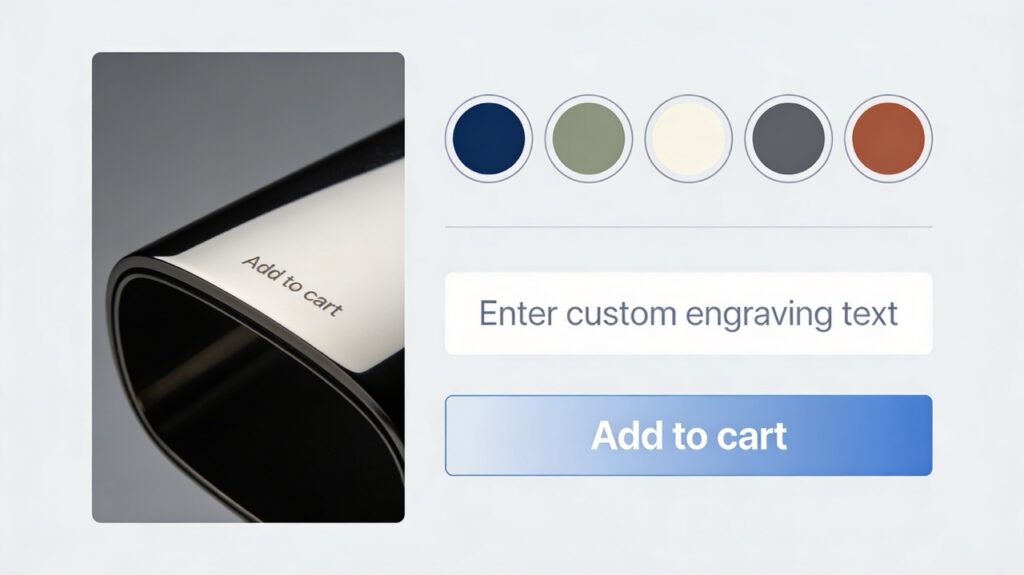
- Product customizers (colors, engraving, bundles)
- “Your price / Your savings” labels
- Trials and guarantees that make ownership feel safe
Where to use the ownership effect
- Product pages: customization and personal configuration
- Cart: “Your” language around price and savings
- Email: onboarding that assumes they’ll keep and use the product
Ownership effect micro-copy examples
| Funnel stage | Placement | Example micro-copy |
|---|---|---|
| Product page | Customization area | “Make it yours: choose your color and add a custom engraving before we ship.” |
| Cart | Near totals | “Your price: 79 dollars (you’re saving 26 dollars on this order).” |
| Post-purchase | “You already own [product name]—here’s how to get the most out of it over the next 30 days.” |
How to implement it
- Use product add-ons/customizers in Shopify or WooCommerce for colors, bundles, and personalization.
- Consistently emphasize “your” in price, savings, and progress copy.
Where to Test These in Your Funnel (Product Page, Cart, Checkout, Email)
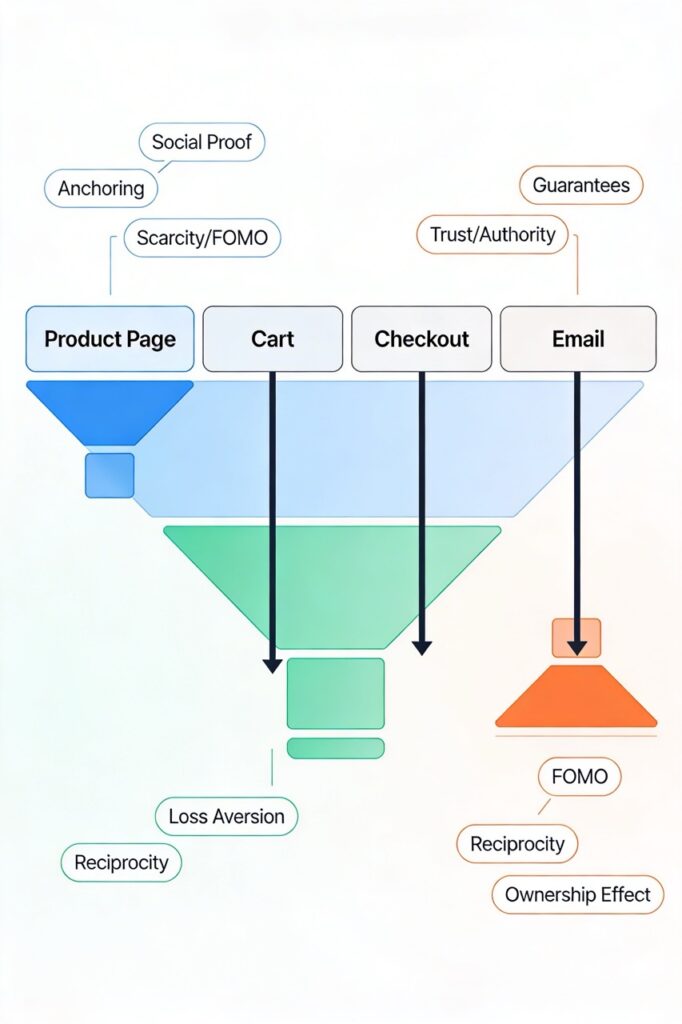
You get the biggest wins when you match triggers to the specific friction at each step.
Funnel map with recommended triggers
| Funnel stage | Common problems | Best triggers to test first |
|---|---|---|
| Product page | Lots of views, few add-to-carts | Social proof, authority, anchoring, scarcity, FOMO, ownership effect |
| Cart | Many carts, few checkout starts | Loss aversion, FOMO, scarcity/urgency, reciprocity, social proof |
| Checkout | Many starts, high abandonment | Loss aversion (guarantees), authority (secure badges), social proof, commitment/consistency |
| Email/SMS | Weak recovery after abandonment | FOMO, urgency, reciprocity, social proof, ownership effect |
Recent data puts global cart abandonment at roughly 70%, often driven by surprise fees, forced account creation, and long checkouts. So if you’re bleeding revenue at checkout, start there before you obsess over your homepage hero.
Quick Wins Checklist: Implement 3 Triggers in 30 Minutes
You don’t need to rebuild your store to see progress. Here’s a fast, realistic plan you can tackle in a single working session.
30-minute psychology-first CRO checklist
| Step | Action | Trigger(s) | Where |
|---|---|---|---|
| 1 | Add a one-line, no-hassle guarantee near your main checkout button. | Loss aversion | Checkout |
| 2 | Surface rating + review count above the fold on your top 3–5 product pages. | Social proof | Product pages |
| 3 | Add honest “low stock” or “high demand” text to genuinely limited items. | Scarcity, FOMO | Product & cart |
| 4 | Add a free-shipping progress message in cart (“X away from free shipping”). | Loss aversion, reciprocity | Cart |
| 5 | Rewrite price areas to show original price, current price, and savings clearly. | Anchoring | Product pages |
If you’re comfortable editing your theme or using a child theme in WooCommerce, all five are mostly copy + configuration changes. If touching templates feels risky, this is exactly the kind of done-for-you implementation Devbo can handle while you stay focused on inventory and marketing.
When DIY Psychology Tweaks Aren’t Enough (And What to Do Next)
There’s a point where changing button copy again isn’t going to move the needle. You may be there if:
- Your conversion rate is stuck under ~2–2.5% despite healthy, relevant traffic.
- Your cart abandonment rate is pushing 75–80% or more, especially on mobile.
- Each “best practice” change gives you tiny or inconsistent lifts.
- You’re spending real money on ads, but ROAS is flat or declining.
At that level, you usually need:
- Deeper analytics: funnel drop-off analysis, heatmaps, session recordings
- Customer research: on-site polls, post-purchase surveys, support ticket mining
- Proper A/B testing: structured tests instead of guessing week by week
As a Florida-based agency that lives in WordPress, WooCommerce, Shopify, and Google Analytics every day, Devbo usually steps in when a store has solid traffic but leaky funnels—and the owner wants clear, test-backed recommendations instead of another random list of tactics.
What does a psychology-first CRO audit typically cost?
Across the market, entry-level CRO audits for small to mid-size eCommerce brands typically start in the low four figures and scale with your revenue and testing cadence.
If you’re already spending four to five figures per month on ads, reallocating a slice of that to a focused CRO engagement is often the fastest way to grow profits—because every 1% gain in conversion makes all of your traffic more valuable.
If you’d like a no-pressure look at whether psychology-driven CRO is worth it for your store, Devbo can review your funnel, core pages, and key metrics and walk you through quick wins versus deeper projects.
FAQs About Psychology-First CRO for eCommerce
1. Is psychology-based CRO manipulative?
It doesn’t have to be—and it shouldn’t be. Ethical CRO is about lining up your messaging and experience with how people naturally make decisions, not tricking them into something they’ll regret.
If your scarcity, guarantees, and social proof are real and transparent, you’re helping customers make faster, more confident decisions, not forcing them.
2. How long does it take to see results?
For simple changes (stronger social proof, clearer guarantees, surfacing real scarcity), it’s common to see movement in add-to-cart rate or checkout completion within days to weeks—especially on high-traffic SKUs.
More complex work like new flows, personalization, or deep testing programs usually runs over multiple test cycles.
3. What’s a “good” conversion rate for a small eCommerce store?
Benchmarks show many stores landing around 2–3%, with high-performing Shopify/WooCommerce stores aiming for 3–4% or more overall.
Some verticals (like beauty or food) can legitimately hit 5–7% on core products because they’re lower-risk, repeat-purchase categories. High-ticket categories (furniture, luxury) tend to sit lower.
4. How much does a CRO audit usually cost?
Broadly, reputable CRO audits for small to mid-sized stores often start in the low four figures, with ongoing optimization retainers scaling up based on traffic, revenue, and testing cadence.
The key question is ROI: if your conversion rate is underperforming versus benchmarks and you’re driving significant traffic, a smart audit often pays for itself quickly.
5. When should I hire an expert instead of tweaking copy myself?
Bring in a specialist when:
- You have meaningful, qualified traffic (from SEO, ads, or email),
- You’re underperforming industry benchmarks, and
- You’ve already done the basics: clear messaging, mobile-friendly design, proper tracking.
At that point, the big lifts usually come from deeper behavioral insight and structured experimentation—not another random button color test.
6. Which brain triggers should I start with if I’m short on time?
If you only have a couple of hours this week, start here:
- Social proof on your top 3–5 products (reviews above the fold)
- Loss aversion at checkout (clear guarantee + returns)
- Honest scarcity on genuinely limited items
These are fast to implement and consistently impactful across most eCommerce niches.
7. How do I know if my new psychology tweaks are actually working?
Track:
- Conversion rate
- Add-to-cart rate
- Cart and checkout abandonment
- Revenue per visitor
Compare before/after, and wherever possible run A/B tests with a proper tool so you know which change drove which result.
Also watch secondary signals—refunds, support tickets, reviews—to make sure you’re improving the experience, not just pushing harder.
Final Thought
None of this is magic, it’s just how human brains work when they’re staring at a product page, half-distracted, wondering if they should trust you with their money.
You can absolutely start small: pick 2–3 triggers from this guide, update copy on your top products, and watch what happens over the next few weeks. If your conversion rate is stuck, your cart abandonment is sky-high, or you simply don’t have time to test this all yourself, you don’t have to guess.
Devbo can run a psychology-first CRO audit of your WooCommerce or Shopify store, map out the biggest leaks in your funnel, and help you implement the changes that actually move the numbers.
If that sounds helpful, book a free CRO audit with Devbo and let’s see what your store could be doing with the traffic you already have.